
Google Maps Korea Address: Official Best Practices & Format Guide (2026)
September 02, 2026
If you have ever tried to enter a Korean address into Google Maps and got no results — or ended up in the wrong location entirely — you are not alone. Korean addresses follow a unique structure that differs significantly from Western address formats, and Google Maps handles them in ways that surprise many foreigners and international shoppers.
This guide covers the official best practices for using Korean addresses with Google Maps, drawing directly from Google’s developer documentation, South Korea’s official address portal (juso.go.kr), and Google’s Business Profile address guidelines. Whether you are a developer using the Google Maps API, an expat living in Seoul, or someone receiving a package from Korea, this guide gives you the facts — no guesswork.
Searching Korean addresses on Google Maps requires understanding the road name address system introduced in 2014. (Source: Pexels)
Key Takeaways
- South Korea officially adopted the Road Name Address system (도로명주소) in 2014, replacing the older lot-number system.
- A complete Korean English address reads: [Number], [Road name], [District (gu/gun)], [City/Province], Republic of Korea.
- Google’s Geocoding API works with Korean addresses using
region=KRandlanguage=koorlanguage=enparameters. - Google’s Address Validation API does not yet support South Korea (as of 2026).
- In February 2026, South Korea conditionally approved high-precision map data export — full Google Maps navigation for Korea is expected soon.
Understanding Korea’s Road Name Address System (도로명주소)
South Korea’s current official address system — the Road Name Address (도로명주소, Doromyeong Juso) — was made mandatory for all government use in January 2014, replacing the older Jibeon (lot-number) system that had been in use for over a century. The transition was managed by the Ministry of the Interior and Safety and is administered through the official address portal at juso.go.kr.
The road name system assigns addresses based on named roads rather than land parcel numbers, making it more intuitive for navigation — including digital map systems like Google Maps.
Korean Address Structure (English Format)
According to the official road name address guide (주소정보누리집), a complete Korean address in English follows this order:
| Component | Korean Term | Example |
|---|---|---|
| Building number | 건물번호 | 1 |
| Road name + suffix | 도로명 | Sejong-daero |
| District (gu/gun) | 구/군 | Jung-gu |
| City / Special City | 시/특별시 | Seoul |
| Country | 국가 | Republic of Korea |
Full example: 1, Sejong-daero, Jung-gu, Seoul, Republic of Korea
Road Name Suffixes You Must Know
Korean road names end with a suffix that indicates the road’s size. These suffixes are romanized and appear in Google Maps results:
- -daero (대로) — Major boulevard with 8 or more lanes. Example: Gangnam-daero, Teheran-ro (some exceptions use -ro)
- -ro (로) — Standard road with 2 to 7 lanes. Example: Mapo-ro, Itaewon-ro
- -gil (길) — Small alley or side street, typically branching off a -ro. Example: Dongmak-ro 3-gil
Building numbers increase sequentially from the start point of the road. Odd numbers are assigned to the left side and even numbers to the right side — the same convention used in many European countries.
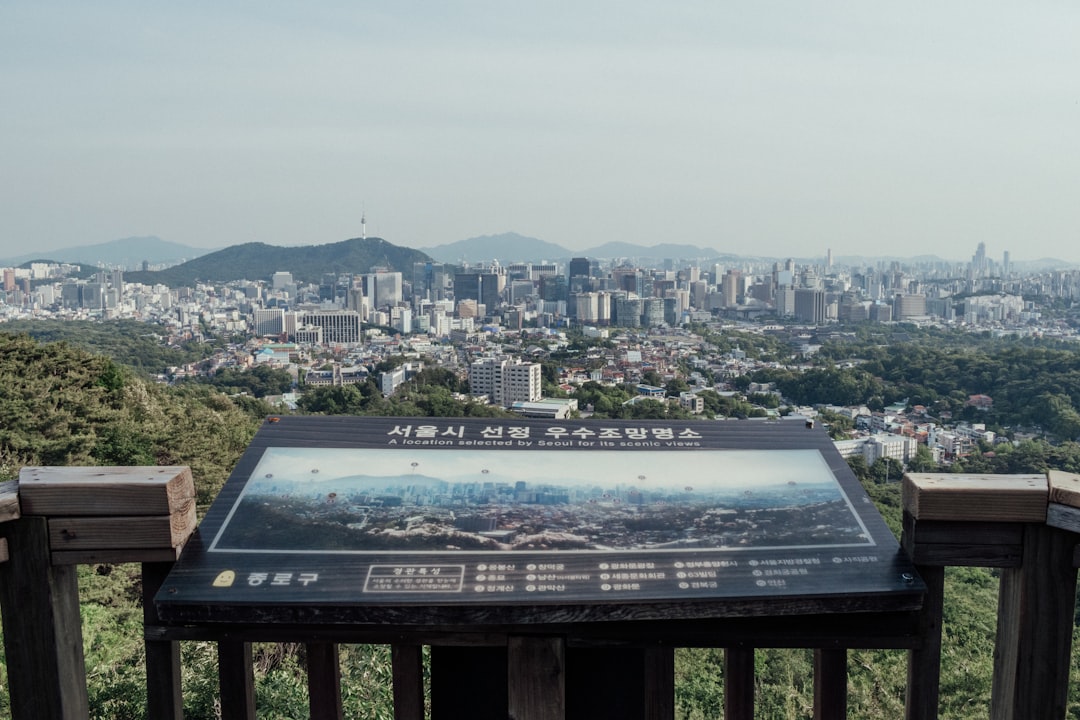 Seoul streets are organized under the road name address system. Road signs show -daero, -ro, and -gil suffixes. (Source: Unsplash)
How Korean Addresses Appear in Google Maps
When you search for a Korean location in Google Maps, the returned address uses the road name address format — not the old lot-number format. However, Google Maps may return addresses in Korean script (Hangul), Romanized Korean, or both, depending on your language settings.
Language Settings Matter
According to Google’s Geocoding API documentation, the language parameter controls the language of returned address strings:
language=ko— Returns addresses in Korean script: 서울특별시 중구 세종대로 1language=en— Returns Romanized English: 1 Sejong-daero, Jung-gu, Seoul
In the Google Maps app itself, switching your phone’s language to English will display most Korean addresses in Romanized form, though major landmark names may remain in Hangul.
Using the Google Maps API for Korean Addresses
For developers working with Korean addresses programmatically, Google’s official documentation (Geocoding Addresses Best Practices) provides clear guidance.
 Developers integrating Korean addresses with Google Maps API should follow official geocoding best practices. (Source: Pexels)
Choose the Right API for Your Use Case
Google’s documentation distinguishes two primary scenarios:
- Complete, unambiguous Korean addresses (e.g., 1, Sejong-daero, Jung-gu, Seoul) → Use the Geocoding API web service directly.
- Partial or ambiguous input (e.g., user typing “세종대로”) → Use the Places API Place Autocomplete service first to get a Place ID, then pass that Place ID to the Geocoding API.
As Google states in their documentation: “Use the Places API Place Autocomplete service to obtain a place ID, then the Geocoding API to geocode the place ID into a latlng.” This approach reduces latency and handles incomplete Korean input gracefully.
Essential API Parameters for Korea
| Parameter | Recommended Value | Purpose |
|---|---|---|
region |
KR |
Bias results toward South Korea |
language |
ko or en |
Control output script/romanization |
address |
Full road name address string | Input for geocoding |
Important: The region parameter only biases results — it does not restrict them. If a more relevant result exists outside Korea, the API may still return it. For Korean-only applications, always validate that the returned country component equals KR.
Parse address_components — Not formatted_address
Google’s official documentation explicitly warns: “Do not parse the formatted address programmatically. Instead you should use the individual address components.”
For Korean addresses, the address_components array will include component types such as:
street_number— Building number (e.g., “1”)route— Road name (e.g., “Sejong-daero”)sublocality_level_2orsublocality— Dong (neighborhood)sublocality_level_1— Gu or Gun (district)locality— City or metropolitan cityadministrative_area_level_1— Province (Do) or Special Citypostal_code— 5-digit Korean postal codecountry— “KR” (Republic of Korea)
Address Validation API: Korea Not Yet Supported
As confirmed by the Google Maps Address Validation API coverage page, South Korea is not currently listed among supported countries. The API supports 34 countries and regions as of 2026, but Korea is not among them. Developers should use the Geocoding API with Place Autocomplete as a validation alternative.
Google Business Profile: Setting Up Korean Addresses
If you are registering a Korean business on Google Maps, the Google Business Profile bulk upload documentation specifies how Korean addresses must be structured:
| Field | Korean Equivalent | Example | Required? |
|---|---|---|---|
| Address Line 1 | 도로명 + 건물번호 | 1 Sejong-daero | Yes |
| Sub-locality | 구/군 (District) | Jung-gu | Recommended |
| Locality | 시/특별시 | Seoul | Yes |
| Administrative area | 도/시 (Do/Si) | Seoul | Recommended |
| Postal code | 우편번호 | 04524 | Recommended |
| Country/Region | 국가 | KR | Yes |
Google notes that “address formats can vary widely” by region and recommends trying alternative formats if an initial entry is rejected.
Why Google Maps Has Had Limitations in South Korea
South Korea’s geographic data restrictions are rooted in national security law. The primary legal framework is the Geospatial Information Management Act, which prohibits state-surveyed map data from leaving Korea’s physical boundaries (Article 16) and restricts aerial photographs containing sensitive military information (Article 26).
As a result, Google and Apple were denied full mapping data, preventing real-time navigation and precise turn-by-turn directions — a situation that persisted for over a decade. This is why local alternatives like Naver Map and KakaoMap dominate navigation in Korea, as they operate under domestic server arrangements permitted by Korean law.
 Until 2026, Google Maps lacked full navigation capability in Korea due to national security restrictions on geographic data export. (Source: Pexels)
2026 Update: South Korea Approves High-Precision Map Export
On February 27, 2026, South Korea’s government conditionally approved the export of high-precision maps at 1:5,000 scale, according to reports from the Korea JoongAng Daily and international sources. The approval includes strict security conditions: video processing of sensitive areas, coordinate system restrictions, and requirements for domestic server infrastructure.
This development means Google Maps is expected to offer full navigation services in South Korea within six months of the approval. For expats, tourists, and developers, this marks the first time Google Maps will provide accurate turn-by-turn driving and walking directions in Korea — a significant shift after years of limitations.
Practical Tips for Searching Korean Addresses on Google Maps
Use the Road Name Address Format
Always use the road name address (도로명주소), not the older lot-number address, when searching on Google Maps. The format to use in English is:[Building number] [Road name], [District], [City]
Example: 209 Sejong-daero, Jongno-gu, Seoul
Look Up Korean Addresses in English via juso.go.kr
If you have a Korean-script address and need the official English version, use the Korean government’s official English address search at eng.juso.go.kr. This returns the officially romanized address that Google Maps recognizes.
Include the Postal Code
Adding Korea’s 5-digit postal code significantly improves geocoding accuracy. You can find official postal codes at juso.go.kr.
Use Place ID Instead of Address Strings in APIs
For developers: search once using Place Autocomplete to get the place_id, then use that ID for all subsequent geocoding calls. This avoids repeated string parsing and returns consistent, standardized results.
Phone Number Search as a Fallback
Google Maps (and Naver Map) both support searching by Korean phone number (format: 02-XXXX-XXXX for Seoul landlines). This is a reliable fallback when an address is unclear or in Hangul only.
Frequently Asked Questions
Does Google Maps support Korean addresses?
Yes. Google Maps displays Korean road name addresses (도로명주소) in both Korean script and romanized English. The Geocoding API returns structured address components for Korean locations. However, the Address Validation API does not yet support South Korea as of 2026.
What is the correct English format for a Korean address?
The official English format follows: [Building number], [Road name]-[suffix], [District (gu/gun)], [City/Province], Republic of Korea. Example: 1, Sejong-daero, Jung-gu, Seoul, Republic of Korea. This format is standardized by the Ministry of the Interior and Safety (juso.go.kr).
Why does Google Maps not work for navigation in Korea?
Until February 2026, South Korea’s Geospatial Information Management Act prevented the export of high-precision map data required for turn-by-turn navigation. Google Maps could display locations but could not provide driving or walking directions. This is expected to change following South Korea’s conditional approval of map data export on February 27, 2026.
What is the difference between -daero, -ro, and -gil in Korean addresses?
These are road size suffixes: -daero indicates a major boulevard (8+ lanes), -ro indicates a standard road (2–7 lanes), and -gil indicates a small alley or side street. All three appear in official Korean addresses and in Google Maps results.
How do I find a Korean address in English?
Use the official Korean government English address search at eng.juso.go.kr. Enter the Korean address and it returns the officially romanized English version. You can also use Jusome for instant Korean-to-English address conversion.
Can I use the Google Maps API to geocode Korean addresses?
Yes. Use the Geocoding API with region=KR and language=en parameters for English-language results. For user-input scenarios, combine with Place Autocomplete to handle partial or ambiguous Korean address input. Parse results using address_components, not the formatted_address string.
Conclusion
Korean addresses follow a logical, standardized structure under the road name address system — once you understand the format, searching Korean locations on Google Maps becomes straightforward. For developers, Google’s Geocoding API works reliably with Korean addresses when you use the correct region and language parameters and parse address_components rather than raw address strings.
With South Korea’s February 2026 decision to allow high-precision map export, Google Maps is on the verge of becoming a fully functional navigation tool in Korea for the first time. Until then, knowing the official address format gives you a significant advantage — whether you are shipping a package, registering a business on Google, or building a Korea-focused application.
Need to convert a Korean address to English right now? Use Jusome’s free Korean address converter to get the official romanized format instantly — the same format Google Maps recognizes.
Sources / References
- Google Developers — Geocoding Addresses Best Practices — API selection, address component parsing guidelines
- Google Developers — Geocoding API Requests — region, language, address_components documentation
- Google Developers — Address Validation API Coverage — confirmed Korea not supported (2026)
- Google Business Profile — Understand Address Formats for Bulk Uploads — Korean address field structure (Sub-locality = District/gu)
- 주소정보누리집 (juso.go.kr) — Official Korean Address Portal — Road name address system, romanization standards, official English format
- eng.juso.go.kr — English Address Search — Official Korean government English address converter
- Wikipedia — Restrictions on Geographic Data in South Korea — Geospatial Information Management Act, February 2026 map export approval
본 글은 위 공식 출처에서만 정보를 인용하여 작성되었습니다. 정보가 변경될 수 있으니 최신 정보는 공식 사이트에서 확인하세요.
What to do next
Guides for actually using your Korean address abroad.